Piano Game: Classic Music Song
- 3.9
- Rating
- 100.00M
- Installs
- Free
- Price

 Analysis by App-foxy
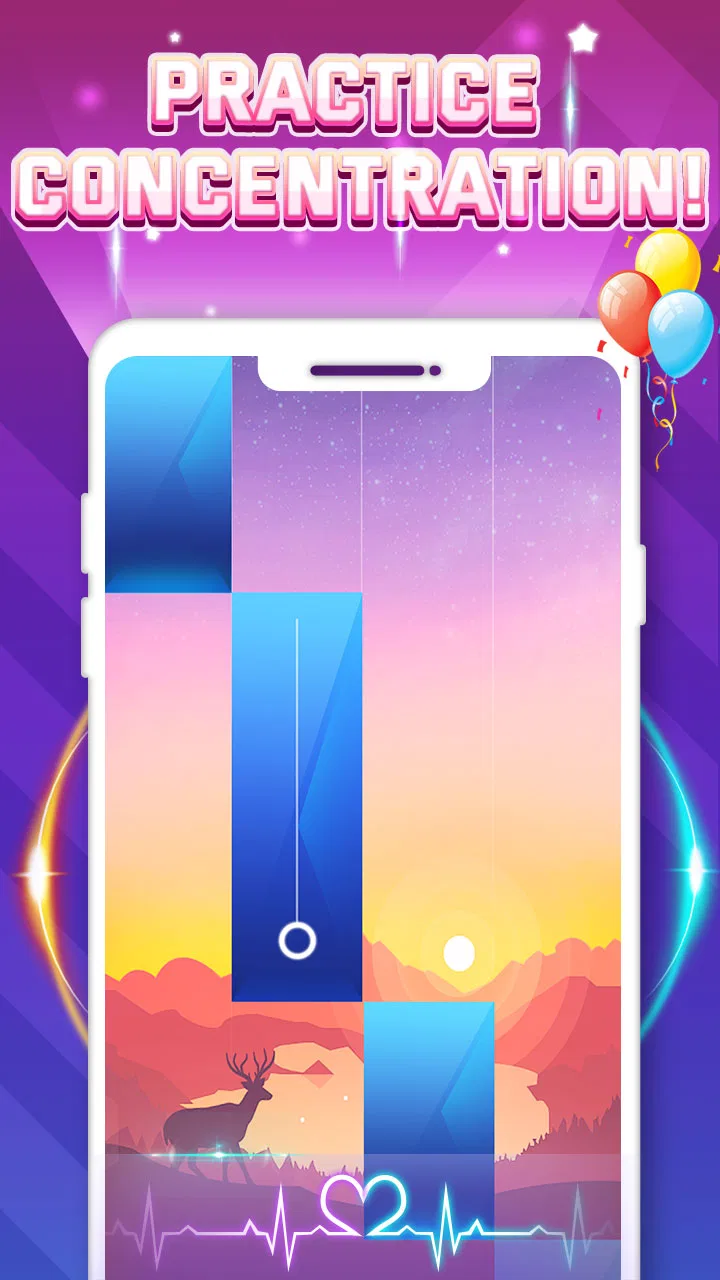
I approached Piano Game: Classic Music Song as a quick music game rather than a piano-learning tool, and that distinction matters from the first minute. The idea is easy to understand: follow the notes on screen, react to the rhythm, and try to keep your run going. It is the kind of game I can open when I have a few spare minutes, but it also has enough pressure to make a simple song feel surprisingly demanding.
Developed by Dream Tiles Piano Game Studio, this free music game is aimed at a broad audience and carries an Everyone age rating. Its appeal is straightforward: it turns familiar piano-style play into a test of timing, attention, and consistency. I would not install it expecting formal lessons, sheet-music practice, or a realistic keyboard simulator. I would install it for fast, touch-based rhythm play that is easy to start and difficult to master.
The game has attracted a large audience, with over 100 million installs and a 3.9 average from around 324 thousand ratings. Those figures suggest that the basic format is accessible, although they should not be mistaken for proof that every player will enjoy the same experience. In my view, the strongest reason to try it is the low barrier to entry. The strongest reason to be cautious is that rhythm games can become frustrating when touch response, sound, or concentration is not working properly.
You May Also Like

 Blood Strike: 2.5 Anniversary
Blood Strike’s Loadouts Turn Every Drop Into a Tactical Gamble
A close look at Blood Strike’s custom loadouts: how fast access to signature weapons reshapes its battle royale rhythm, rewards preparation, and narrows the gap between fights.

 Pandora - Music & Podcasts
Pandora’s Music Is Easy to Start, but Harder to Recover
Pandora’s strength is its low-effort path from a seed to a station. Its weak spot is how much confidence it asks you to place in connection, setup, and quiet recovery.

 8 Ball Pool
 Is Built on Rivalries, Rematches, and Routine
A close look at the rivalries, rematches, shared routines, and unanswered safety questions that turn a quick pool match into a persistent mobile community.

 Samsung Music
’s Quiet Strength Is Playing What You Already Own
Its reach comes less from spectacle than from dependable access to a personal library. That simplicity is both the app’s strongest retention engine and its ceiling.

 AccuWeather: Weather Radar
AccuWeather Review: A Quick, Clear Forecast for Everyday Decisions
For everyday plans, the best forecast is the one you can understand quickly. AccuWeather makes rain timing, radar, and local conditions easy to act on, with a few trade-offs.

 Hill Climb Racing
Why Hill Climb Racing Still Turns Crashes Into One More Run
A tiny car, a bumpy hill and one more upgrade: Hill Climb Racing keeps resurfacing because its simple chaos makes every near-miss feel personal.
More From Our News Desk
View All News


What playing it feels like in everyday use
The first useful way to think about this game is as a short-session challenge. I can imagine opening it while waiting for an appointment, taking a brief break from work, or looking for something more active than scrolling through social media. The controls are built around quick decisions, so there is very little reading or preparation before a round. That makes it friendly to casual players, children, and anyone who wants a music-themed game without learning a complicated control scheme.
At the same time, the simplicity creates its own difficulty. A piano game based on falling or appearing notes asks me to watch the screen closely and tap at the right moment. A small hesitation can break the rhythm, while tapping too early can be just as damaging. This means the game rewards a quiet environment and a stable grip more than I initially expected. It is not ideal as a background activity if I am also answering messages or walking around.
I found the best sessions came from treating each attempt as a focused exercise instead of repeatedly tapping in frustration. When a section went wrong, restarting immediately was not always useful. Taking a few seconds to relax my hand and adjust how I held the phone made a noticeable difference to my consistency. That is a simple habit, but it is more practical than assuming every missed note means the game is inaccurate.
The rhythm-game format also gives the app a different feel from ordinary casual games. There is no need to build a town, manage a collection, or follow a long story before the main activity becomes enjoyable. The music is the center of attention, and the screen asks for a physical response. For me, that makes the game more engaging than a passive music app, while remaining less demanding than a dedicated musical instrument application.
Where new players commonly get stuck
The first obstacle is often not the music itself but the player’s expectations. Someone who sees “piano” in the title may expect a virtual keyboard with freely chosen notes. This is better understood as a guided rhythm experience. The game tells me where to tap, and my job is to match its timing. Anyone looking to practice finger placement, chords, scales, or reading notation should choose a real learning app instead.
Another common sticking point is trying to play with an inconsistent tapping pattern. Beginners sometimes watch only one part of the screen or tap whenever a note appears near the bottom. That can work for a short stretch, but it becomes unreliable when the pace changes. I get better results by watching the movement of the notes as a continuous stream and keeping my hand relaxed rather than making large, deliberate movements for every tap.
Screen size can affect comfort too. On a small phone, the playable area may feel crowded, especially when I am using one hand. On a larger device, the distance between notes can make two-handed play more comfortable, but it may also require a firmer grip. I would test both portrait and landscape handling if the device allows it, not because one orientation is guaranteed to be superior, but because hand position can change how accurately I react.
Sound is another source of confusion. If the device is muted, connected to a delayed Bluetooth speaker, or playing other audio at the same time, the visual and musical cues may feel out of step. A player can easily conclude that the game is missing taps when the real issue is an audio delay or an unsuitable environment. For timing games, even a small mismatch between what I hear and what I see can make a familiar pattern feel wrong.
Checks worth making before blaming the game
My preferred setup is simple. I close demanding apps, make sure the phone has enough charge, and play with a clean, dry screen. This is not about turning the device into a specialist gaming machine; it is about removing distractions that can interfere with quick taps. A greasy display or a loose charging cable can create an inconsistent feeling that is easy to misread as a problem with the game.
I also check the volume before starting a serious attempt. If I want to judge timing, I use the phone’s own speaker or a wired listening option when available, rather than relying on a wireless connection that may introduce delay. If I am playing casually, this matters less. If I am trying to improve a difficult passage, it matters much more because sound becomes part of my timing reference.
The current version is 3.2.8, and the game requires Android 6.0 or later. That makes it available to a wide range of Android devices, but compatibility alone does not guarantee identical performance on every phone. Before spending time troubleshooting, I would confirm that the operating system is supported and that the game has finished updating through the normal app store process.
If a round feels unusually slow, I would first look for simple causes: another app using the device heavily, a system-wide battery-saving mode, or a phone that is hot after extended use. I would also restart the game rather than repeatedly replaying the same section. A clean relaunch is a sensible first step because it separates a temporary session problem from a repeatable gameplay issue without requiring complicated changes.
Players should also remember that touch behavior varies between devices. A thick screen protector, a cracked panel, or a display with an existing dead zone can affect any fast-tapping game. Testing ordinary touch actions elsewhere on the phone is a useful comparison. If swipes and taps are unreliable outside this game too, replacing settings or reinstalling the game is unlikely to solve the underlying hardware issue.
Recovering a session after something goes wrong
When the game stops responding, closes unexpectedly, or behaves oddly after a long session, I would recover in stages. First, I would leave the game, wait briefly, and open it again. Next, I would restart the phone if the problem continues. Only after those basic steps would I consider reinstalling, because reinstalling can be inconvenient and may affect local progress depending on how the app handles saved information.
I would be especially careful before clearing app storage. Clearing a cache is generally a lighter troubleshooting step than deleting stored app data, but the exact options depend on the Android device. Anything that removes local information should be treated as a last resort. I would not do it simply because one song felt difficult or because a single attempt registered a missed tap.
If the issue appears only when other audio is playing, I would stop background video, music, or calls and try again. If it happens only with wireless headphones, I would compare the phone speaker or another listening method. The point is to change one factor at a time. Changing the device, connection, volume, and game settings together makes it impossible to know which adjustment helped.
There is also a useful difference between a repeatable fault and an occasional bad run. If the same note or passage fails every time despite careful timing, I would try a different song or restart the game to see whether the behavior follows the specific section. If misses happen randomly across different songs, my grip, fatigue, or device response becomes more likely than one isolated pattern being broken.
For players who use in-app purchases, I would keep spending separate from troubleshooting. The game is free to download, with individual in-app purchases ranging from $0.99 to $3.99. Buying something should not be treated as a way to fix lag, missed taps, or audio delay. I would first make sure the basic free experience works well on my phone, then decide whether any optional purchase genuinely improves the way I want to play.
When the app is not the real cause
Fast rhythm play exposes problems that slower games hide. A tired player may press slightly late, a crowded commute may make the phone move, and bright reflections may make notes harder to follow. In those situations, the game can appear unfair even though the main problem is the playing condition. I get more reliable results by sitting down, supporting the phone, and giving myself a short uninterrupted attempt.
Network conditions can also confuse the diagnosis when an app is starting, updating, or loading content. I would check whether other apps are having connection problems before assuming this particular game is responsible. A weak connection may not affect every part of a session in the same way, so a temporary delay at launch should not automatically be interpreted as poor touch performance during play.
Device storage is another practical consideration. A phone that is nearly full can behave unpredictably across many apps, especially when several processes are competing for space and memory. I would remove unnecessary files or close unused apps before making a judgment. This is not a special requirement of the piano game; it is a general condition that can make any mobile experience feel unstable.
Age and accessibility deserve honest attention too. The Everyone rating makes the game suitable for a broad audience, but that does not mean every person will find rapid tapping comfortable. Players with motor difficulties, visual sensitivity, or hearing limitations may need a slower pace, a larger display, or a different type of music game. I would recommend trying a short session first rather than assuming the age label describes the physical demands of play.
The game is also not the right choice for someone who wants structured musical progress. A piano-learning app with lessons, notation, exercises, and feedback would be a better fit for building transferable keyboard skills. A streaming service would be better for simply listening. A traditional rhythm game with a broader instrument focus might suit players who want more variety than a piano-centered presentation. This title works best when the goal is immediate touch-based entertainment.
How it compares with familiar alternatives
Compared with a standard virtual piano, this game is less open-ended but more immediately game-like. I do not need to decide which notes to play or create my own melody; I follow the challenge presented on screen. That removes the freedom of improvisation, but it also removes the intimidation of facing a blank keyboard. For a first-time player, the guided format is a clear advantage.
Compared with a conventional rhythm game, the piano theme gives the experience a narrower identity. That can be appealing if I enjoy piano sounds and note-focused play, but limiting if I want a large range of instruments or a more elaborate presentation. The trade-off is clarity: the central action stays easy to understand, even if it may not provide the depth that genre specialists expect.
Compared with music-listening apps, this game demands attention and physical input. I cannot treat it as background entertainment during a commute in the same way I might listen to a playlist. In return, it gives me a small sense of participation. I am not just hearing the rhythm; I am trying to keep up with it. That makes it a better choice for active breaks and a worse choice for relaxation when I do not want to concentrate.
Its free entry is another practical difference from paid piano software, although optional purchases are present. I appreciate being able to judge the core experience before spending money. Still, players who dislike any purchase prompts or prefer a completely fixed-price product may find a paid alternative more comfortable. The right choice depends less on the low download cost than on how tolerant I am of the game’s monetization approach.
Small habits that make the game more enjoyable
My first tip is to use short practice windows rather than marathon sessions. Rhythm accuracy usually falls when my hands become tense or my attention drifts. A few focused attempts can teach me more than a long sequence of frustrated restarts. I also avoid tapping harder when a section becomes fast. Firm pressure does not improve timing, and it can make my hand tire sooner.
My second tip is to separate learning a pattern from chasing a perfect result. During an early attempt, I watch how the notes are spaced and identify where my timing changes. On the next attempt, I focus on that transition instead of judging the entire song. This turns a vague feeling of difficulty into a specific adjustment: slower visual tracking, a lighter grip, or a better hand position.
My third tip is to test the phone before investing in a long session. I tap a few ordinary controls, check whether the screen reacts consistently, and listen for any obvious audio delay. If the device is already behaving strangely, I postpone serious play. This simple check prevents me from confusing a hardware or connection problem with a flaw in the song sequence.
A fourth useful habit is to keep the phone stable without blocking the speaker or touching the display with a second finger. I prefer a supported grip that leaves the tapping finger free to move naturally. On a larger device, two-handed play may feel more comfortable, but I would choose the position that gives me the clearest view and least strain rather than assuming a particular technique is required.
Finally, I would treat purchases as optional conveniences, not as part of the basic test. Since the game is free, I can decide whether the music, timing, and session length suit me before paying for anything. That is especially important for families: the Everyone rating makes it broadly approachable, but adults should still understand that optional purchases are available on the device.
My practical verdict after spending time with it
Piano Game: Classic Music Song is a straightforward choice for anyone who wants a free, piano-themed rhythm game that starts quickly and fits into short breaks. I like its immediate premise and the way a familiar musical idea becomes a test of concentration. The large install base shows that the format has wide appeal, while the 3.9 average suggests a more mixed experience than the simple concept might imply.
I would recommend it to casual players, families looking for an Everyone-rated music game, and people who enjoy improving through repeated short attempts. It is also a good option for someone who wants more interaction than listening to music but less complexity than a full piano simulator. The developer has kept the central idea easy to grasp, which is exactly what makes it approachable.
I would skip it if my main goal were to learn piano, compose music, play freely without prompts, or enjoy a completely passive audio experience. I would also be cautious if rapid tapping causes discomfort or if my phone has unreliable touch response. In those cases, another type of music app would solve the real need better than trying to force this game to fit it.
At the time of my review, version 3.2.8 supports Android 6.0 and later, and the game remains free to start. My final advice is to test it under good conditions: use a clean screen, stable grip, dependable audio, and a few uninterrupted minutes. If the timing feels satisfying after that, this can become an enjoyable little daily challenge. If it still feels unfair or repetitive, the problem is probably not something a purchase or repeated restart will fix.
FAQs for Piano Game: Classic Music Song
01What is the primary objective of Piano Game: Classic Music Song?
Piano Game: Classic Music Song aims to provide an immersive piano-playing experience by allowing users to play classic music songs on a virtual piano. The game is designed for both beginners and experienced players, offering a range of difficulty levels and songs to challenge and entertain users.
02Is Piano Game: Classic Music Song suitable for beginners?
Yes, Piano Game: Classic Music Song is suitable for beginners. It features an intuitive interface with guided tutorials and progressively challenging levels. New players can start with simpler songs and gradually move up to more complex compositions as they improve their skills.
03Does the app require an internet connection to play?
Piano Game: Classic Music Song can be played offline, making it convenient for users who want to practice or enjoy the game without a constant internet connection. However, some features, like downloading new songs or accessing community leaderboards, may require online access.
04Are there in-app purchases or ads in Piano Game: Classic Music Song?
The app offers in-app purchases which allow users to unlock additional songs, remove ads, or gain other premium features. While the base game is free to play, users may encounter ads, although they can choose to remove them through a purchase for an uninterrupted experience.
05Can I customize the song selection in Piano Game: Classic Music Song?
Yes, users can customize their song library by selecting from a wide range of classic compositions. The app frequently updates its library, allowing players to purchase and download new songs. This feature helps keep the game engaging and tailored to individual musical preferences.
Pros
- Engaging variety of classic songs.
- Smooth and responsive touch controls.
- Visually appealing interface design.
- Adaptive difficulty for all skill levels.
- Offline mode available for travel play.
Cons
- Limited free song selection.
- In-app purchases can be pricey.
- Occasional ads disrupt gameplay.
- No multiplayer or social features.
- Battery drains quickly during play.

Piano Game: Classic Music Song
Gallery